BlogIndustry Insights
Slab.com Alternatives for Knowledge Management: Best Options

BridgeApp Team
14 min read

Slab is a modern knowledge base for internal documentation, team wiki pages, and unified search across company content. It is a strong choice for teams that want structure, speed, and clear ownership of knowledge.
But not every team works the same way. Some need AI-driven tools, some want tighter project ecosystems, some prefer minimalist design, and others need self-hosted data control. This guide compares the best slab.com alternatives so you can choose a knowledge hub tool that fits your workflow, security needs, and budget.
How We Chose the Best Slab Alternatives
We compared each platform across the areas that matter most in day-to-day knowledge sharing:
- Search quality, including unified search, enterprise search, natural language answers, and how slab's search compares.
- Organization options, such as folders, pages, databases, tags, and wiki structure.
- real-time collaboration, where multiple users can edit the same document simultaneously, ensuring everyone works from the latest version without overwriting each other’s contributions.
- Inline comments, which let team members give feedback directly on content during writing, review, and edit cycles, and mentions for collaborative review.
- integrations with popular tools like Slack, Google Workspace, and Google Drive, plus connections with other tools, so teams can connect knowledge to existing processes.
- Deployment, access control, security, analytics, and support.
- Pricing, because pricing for knowledge management tools can vary significantly, with some platforms offering free plans for small teams, while others start at around $6 to $25 per user per month, depending on features and capabilities, and whether teams can sign in with SSO or similar access methods.
Many knowledge management tools use paid plans with tiered pricing structures. Basic functionality is available at lower price points, while advanced features such as AI capabilities, enhanced integrations, or stronger permissions appear at higher tiers. Annual billing is also common and often gives a discount compared to monthly billing, which can help a team save over a full contract period. BridgeApp can offer it in a Free Forever Plan.
Top 8 Slab Alternatives for Knowledge Base Tool Management
1. BridgeApp
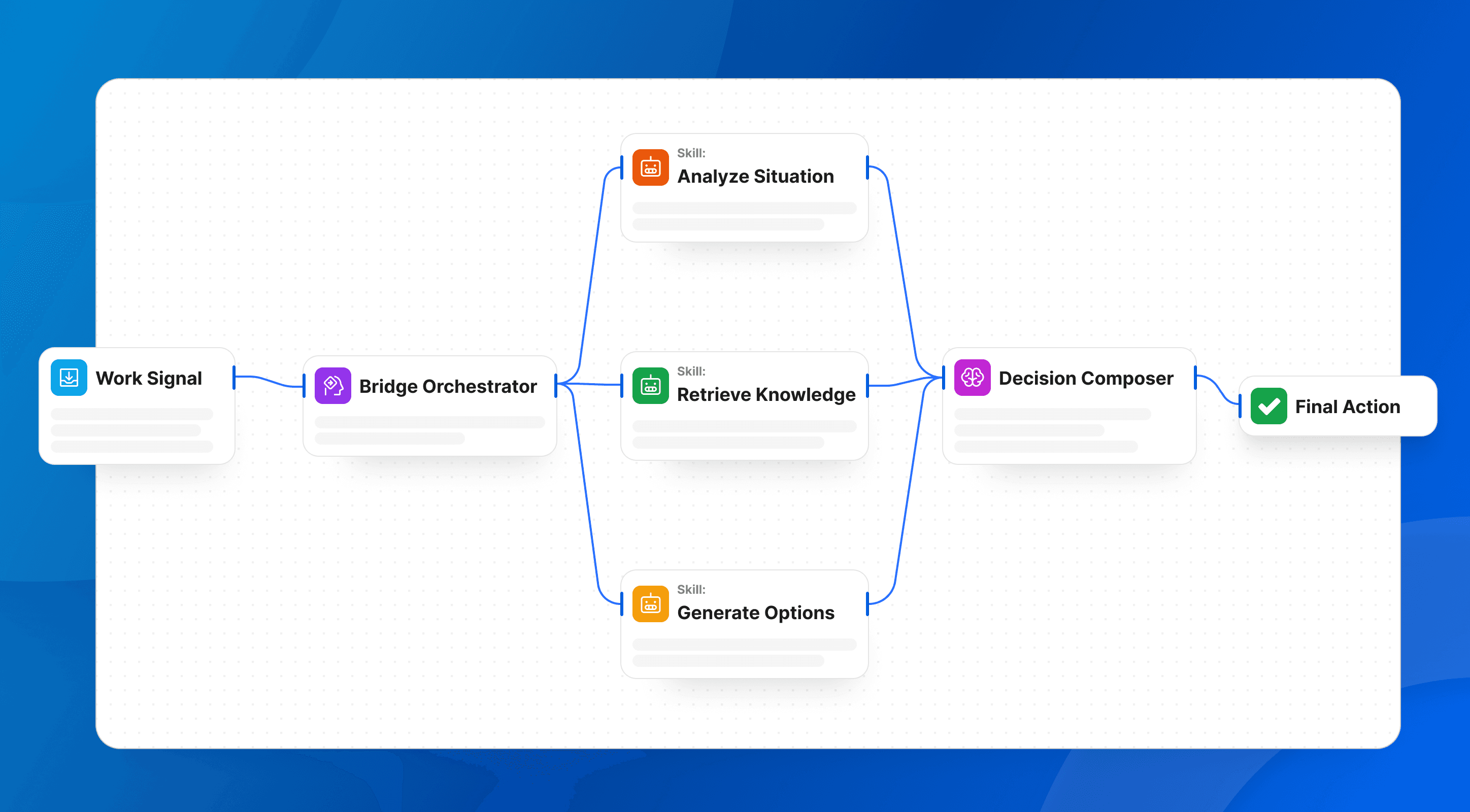
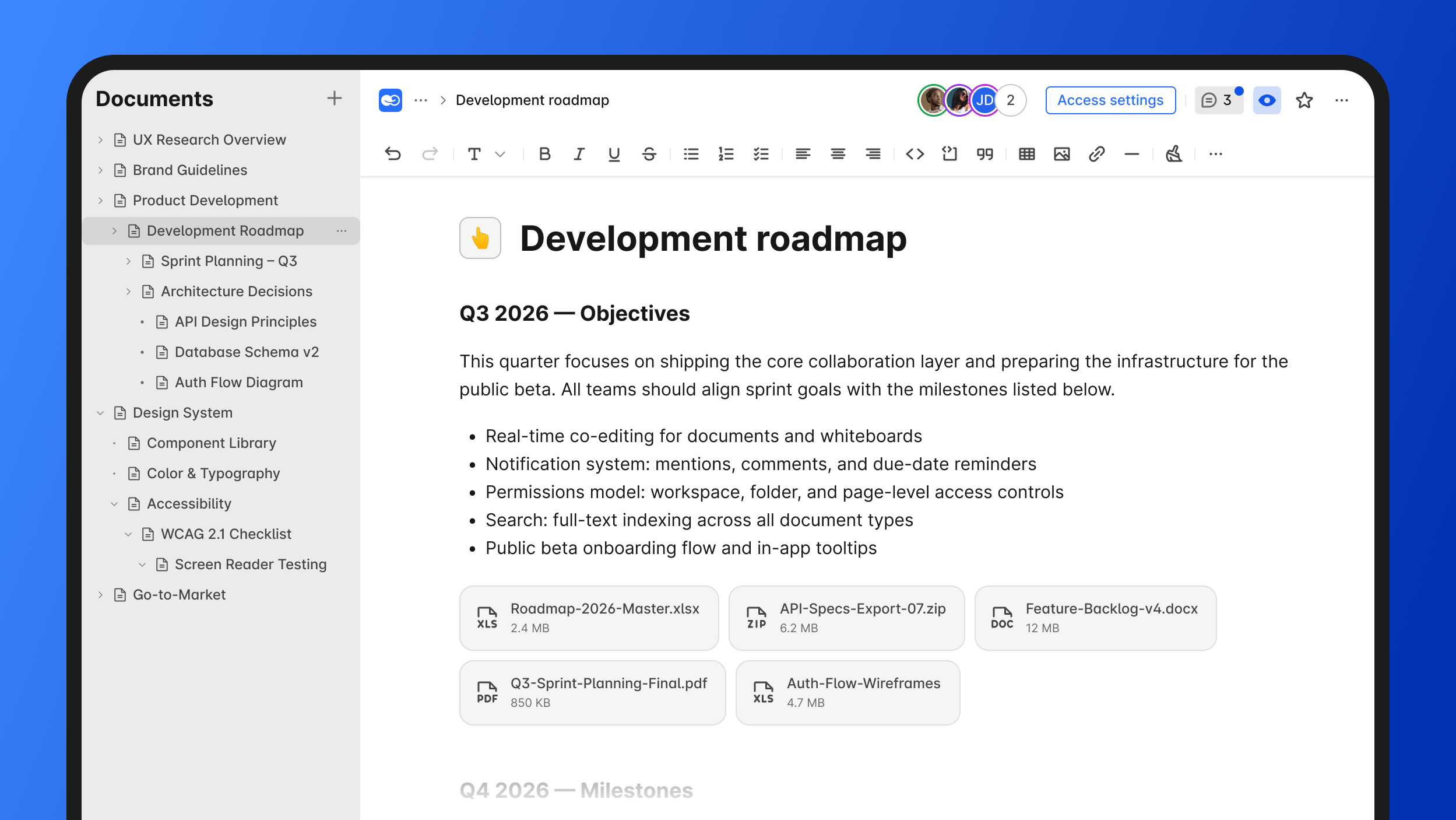
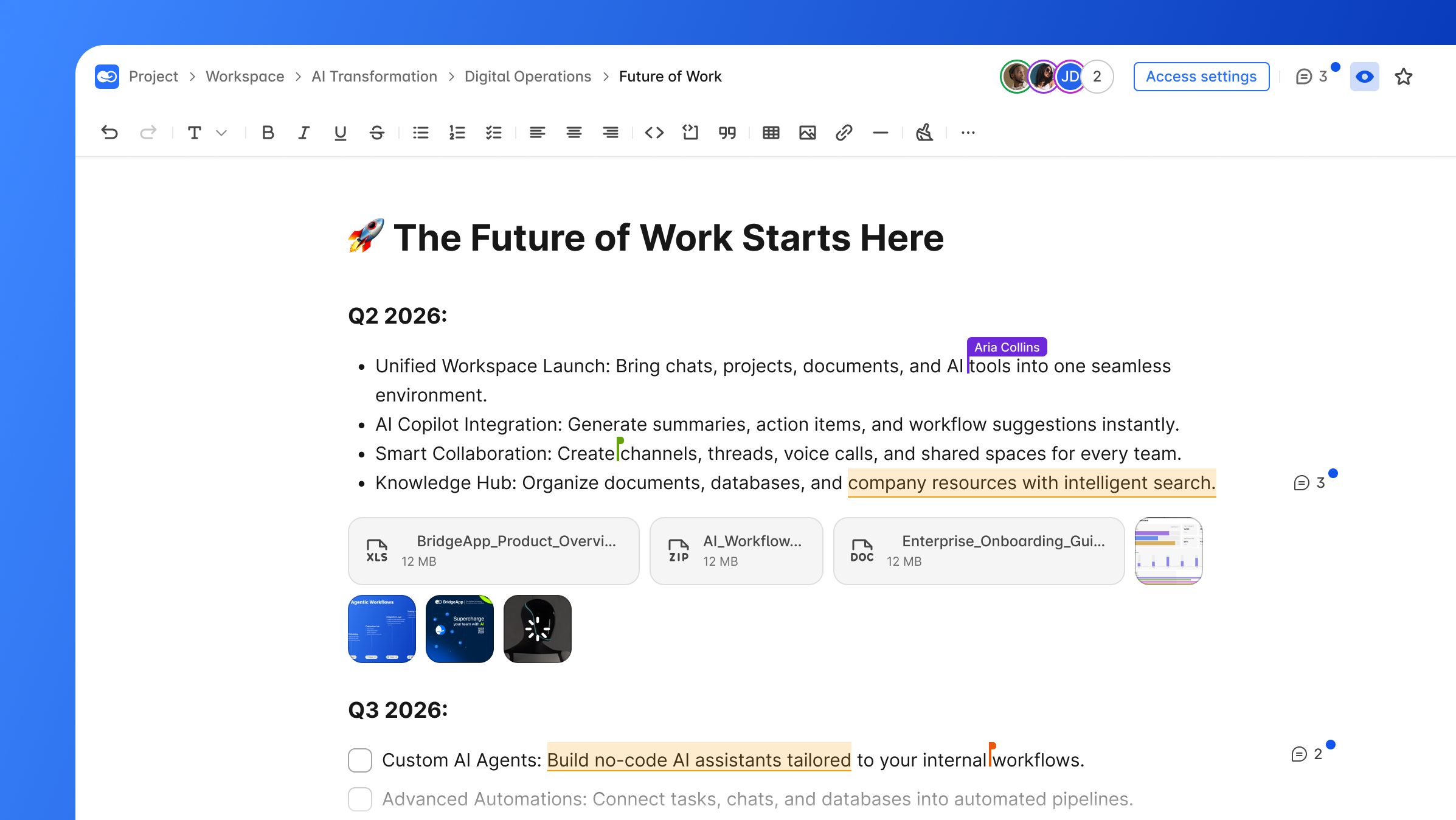
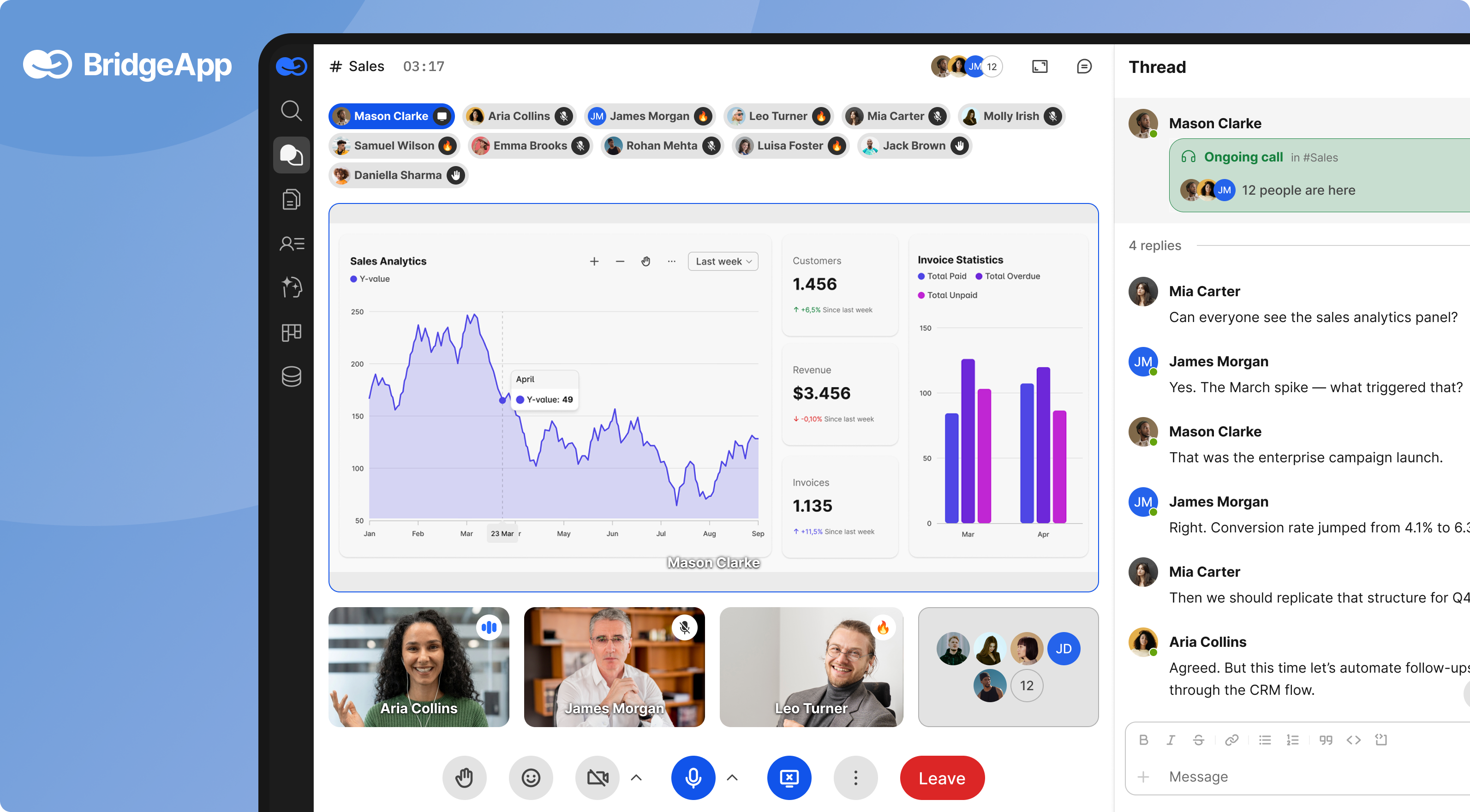
BridgeApp is an AI-native digital workspace that combines a knowledge hub, team communication, project management, databases, calls, and automation into a single interface. It includes channels and threads, audio and video calls, a collaborative document editor, a task tracker, flexible no-code databases, and tools for managing more operational details inside the workspace.
Why it stands out: BridgeApp lets teams create custom AI-powered workflows for any business process while reducing context-switching between BridgeApp and other tools. Its AI agents can access company context from chats, knowledge bases, and databases to create tasks, generate reports, summarize meetings, respond in chats, and execute custom workflows. Agents can connect to multiple MCP servers and access all major AI models on the market.
Best for: Teams that want one workspace instead of dozens of fragmented tools.
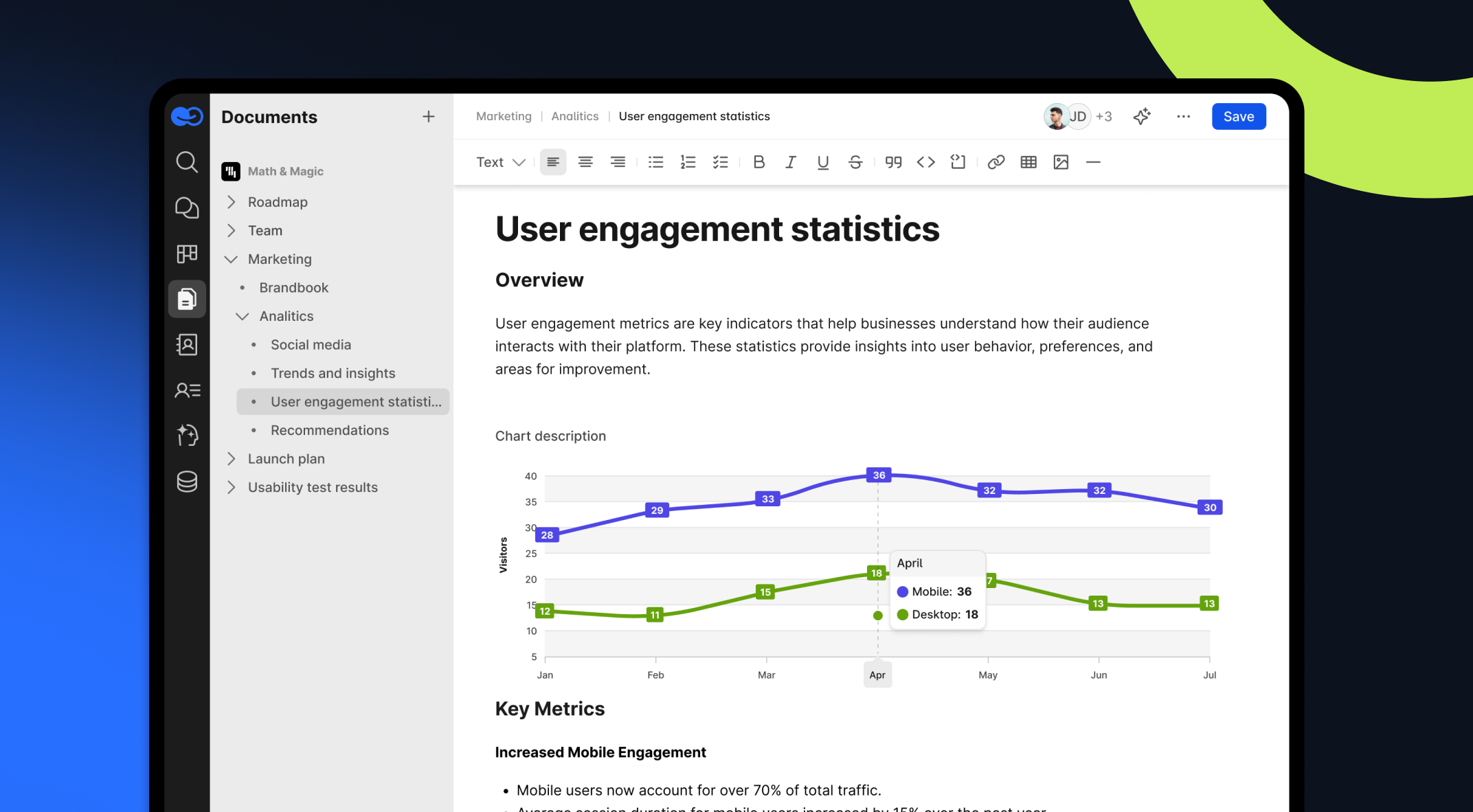
Key strengths: Cloud, on-premise, private cloud, and hybrid deployment; GDPR compliance; EU-hosted option; role-based access in Pro; BYOK and SLA in Enterprise. Approved performance claims include 40% productivity increase, 60% context switching reduction, and 4.6 hours saved per employee per week by automating routine tasks.
2. Notion
Notion is a flexible workspace for notes, documentation, dashboards, lightweight project management, and databases, where teams can create a page or post using its block-based editor. Notion offers a block-based system for flexible, multi-functional team dashboards.
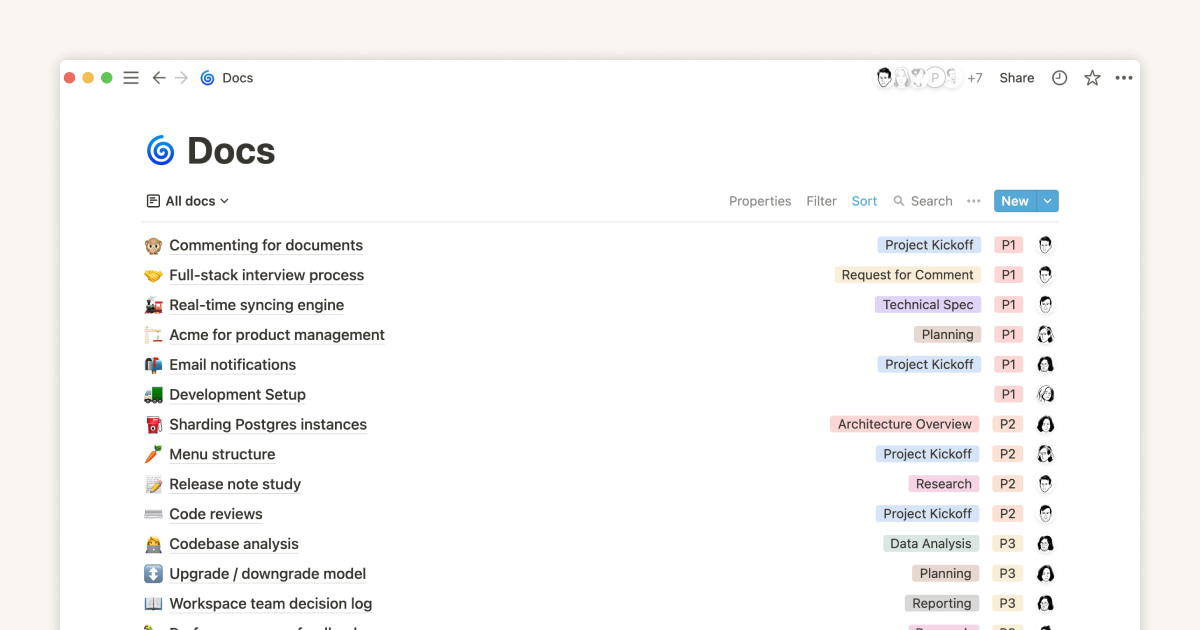
Why it stands out: Its blocks make it easy to create pages, tables, calendars, and custom views without heavy setup, and to edit content line by line through blocks or inline elements.
Best for: Small to medium teams that value customization.
Key strengths: Templates, flexible databases, clean pages, and broad community knowledge.
Possible limitations: Large workspaces can slow down, permissions may feel limited for enterprise needs, and deployment is cloud-only.
3. Confluence
Confluence is an enterprise wiki built for organizations already using Atlassian services.
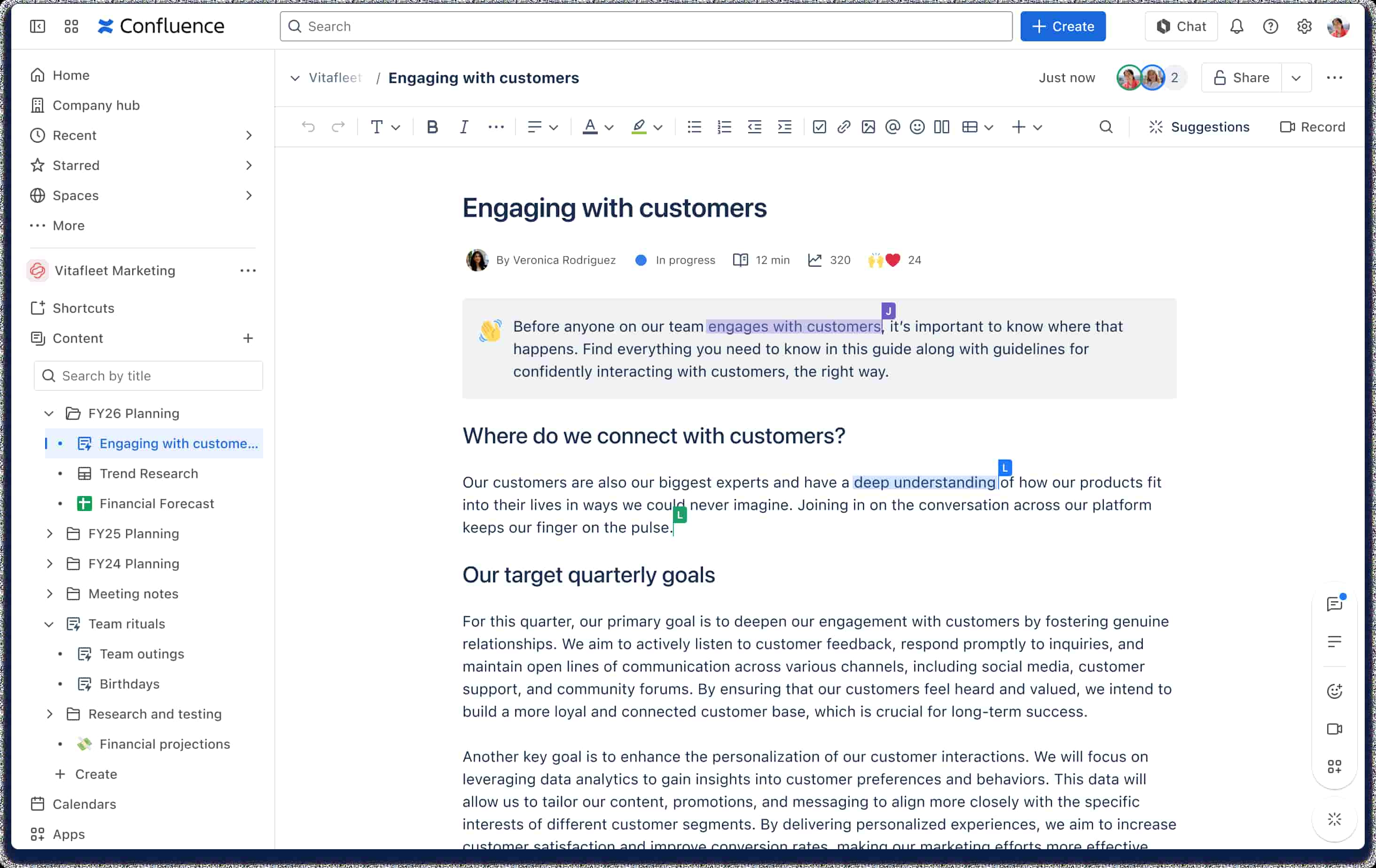
Why it stands out: Confluence is a common choice for teams that switch from lighter tools once they need stronger governance, and it is designed for deep integration with technical teams and supports robust compliance tracking and document history versioning.
Best for: Engineering, IT, and product teams using Jira.
Key strengths: Strong permissions, page trees, document history, marketplace apps, and enterprise security.
Possible limitations: Setup can be complex, costs can scale quickly, and the interface may feel heavy compared with modern tools.
4. Slite
Slite is a clean, remote-friendly knowledge base focused on simplicity and fast discovery.
Why it stands out: Slite’s Ask feature uses AI to provide direct answers from documentation and connected apps.
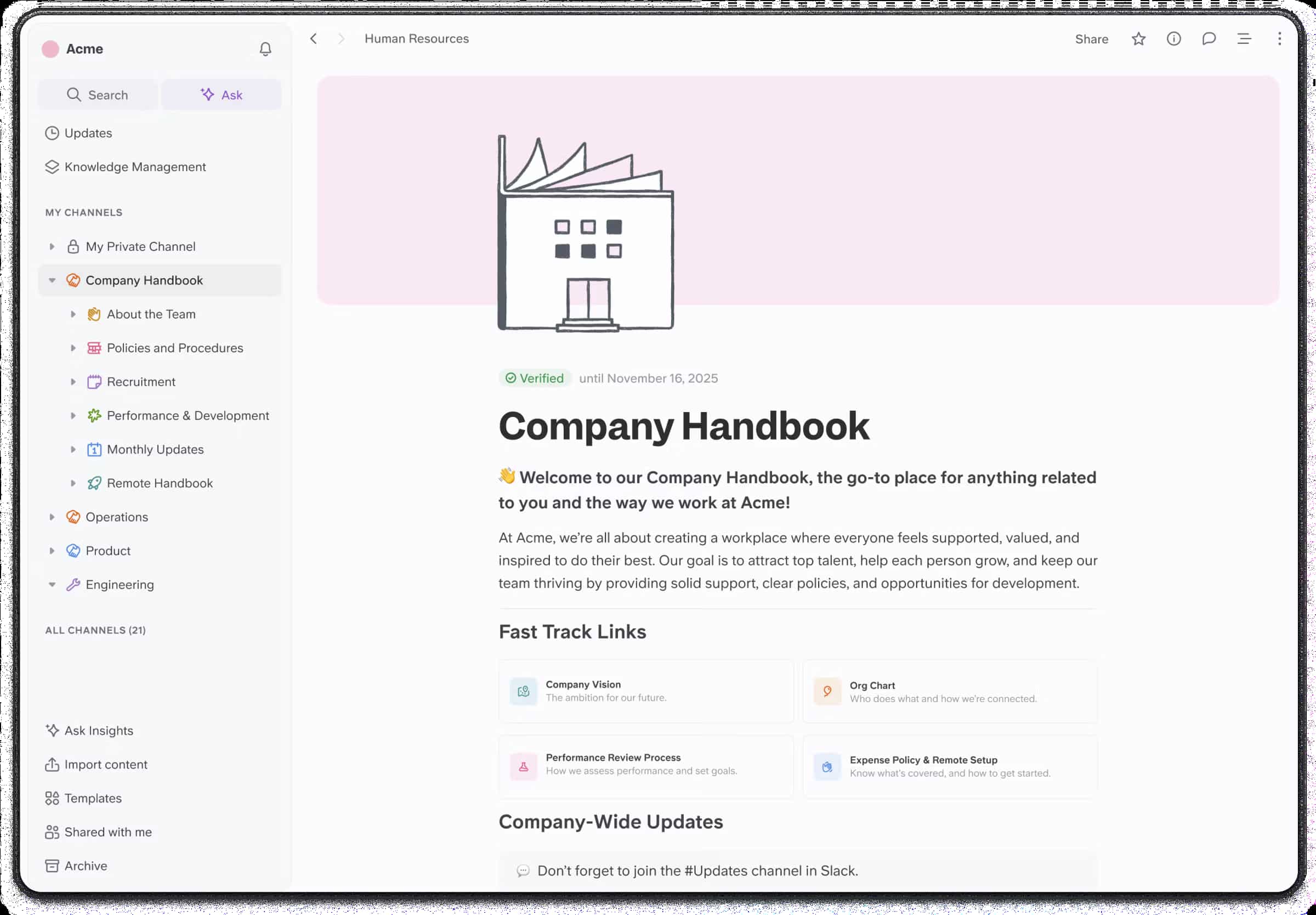
Best for: Teams that want a minimalist editor and quick onboarding.
Key strengths: Slite is suitable for clean, remote-friendly team handbooks and offers a minimalist editor with real-time collaboration. It also supports natural language search and integrations with tools like Slack.
Possible limitations: Customization is limited, advanced functionality may require paid plans, and cloud-only deployment may raise concerns for regulated teams.
5. Guru
Guru focuses on contextual, verified knowledge. Instead of making users navigate a large wiki, Guru surfaces trusted cards inside the workflow.
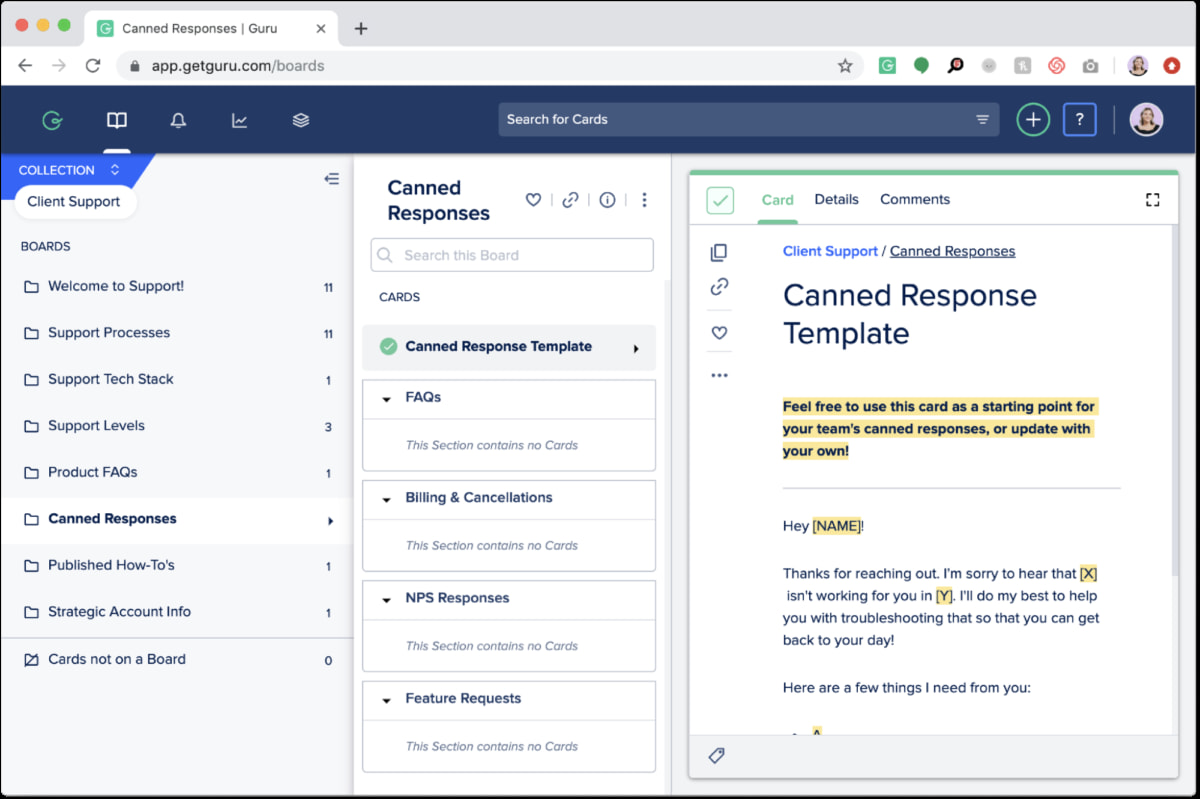
Why it stands out: Guru provides contextual, verified knowledge and integrates into existing workflows, delivering information directly within applications like Slack.
Best for: Sales, support, and operations teams.
Key strengths: Verification workflows, browser extension delivery, comments, ownership, and actionable insights about usage.
Possible limitations: The card format suits quick answers better than long-form documentation, and pricing can be higher at scale.
6. Nuclino
Nuclino is a fast, lightweight wiki for teams that care about speed and clarity.
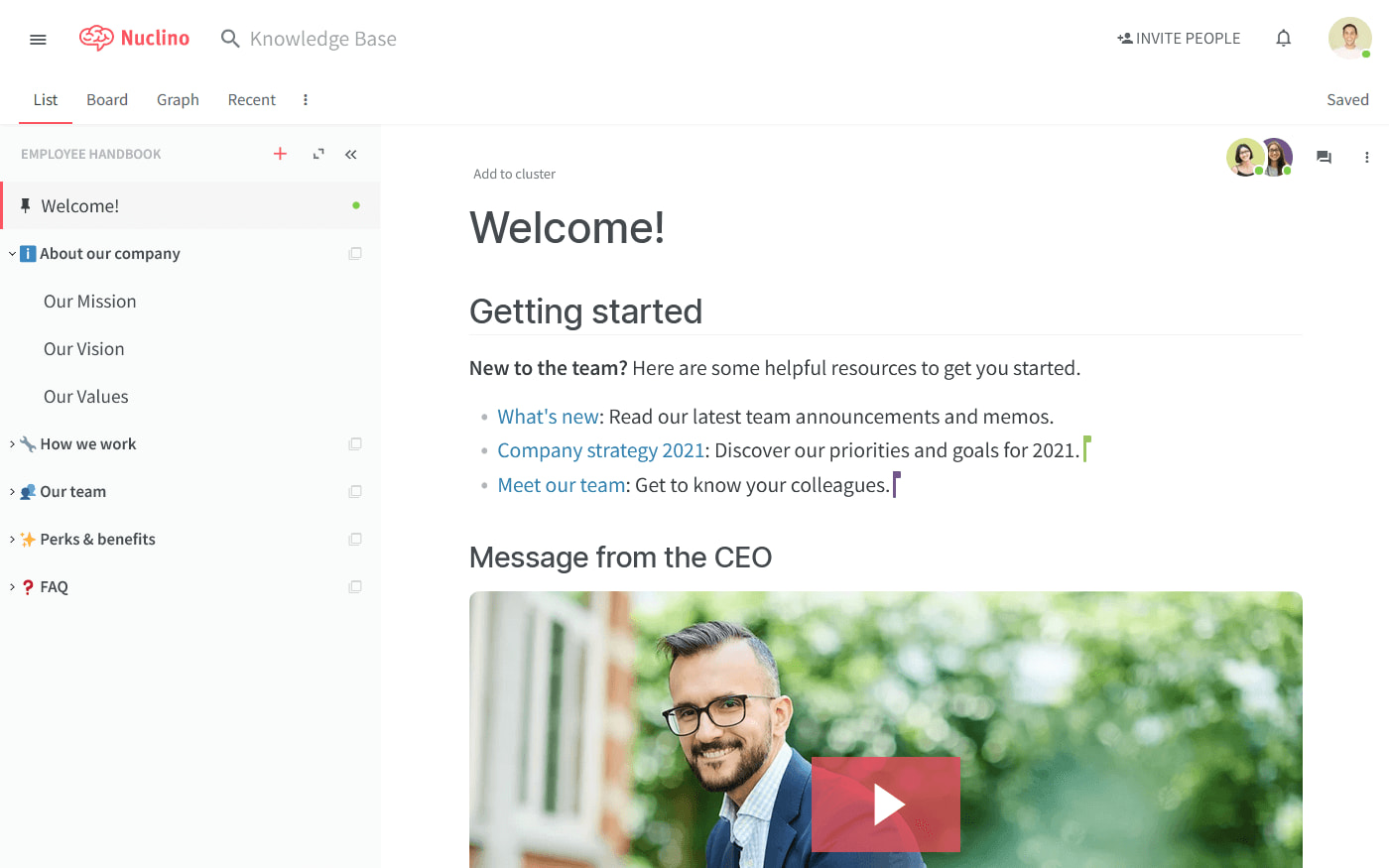
Why it stands out: It offers graph, list, board, and table views, making it easy to understand relationships between content.
Best for: Small teams that want visual organization without complex administration.
Key strengths: Fast loading, intuitive interface, simple setup, and easy navigation from the menu icon to core spaces.
Possible limitations: Permissions are less granular, formatting is basic, and there is no self-hosted option.
7. Document360
Document360 is built for customer-facing documentation, self-service portals, API docs, and internal knowledge bases.
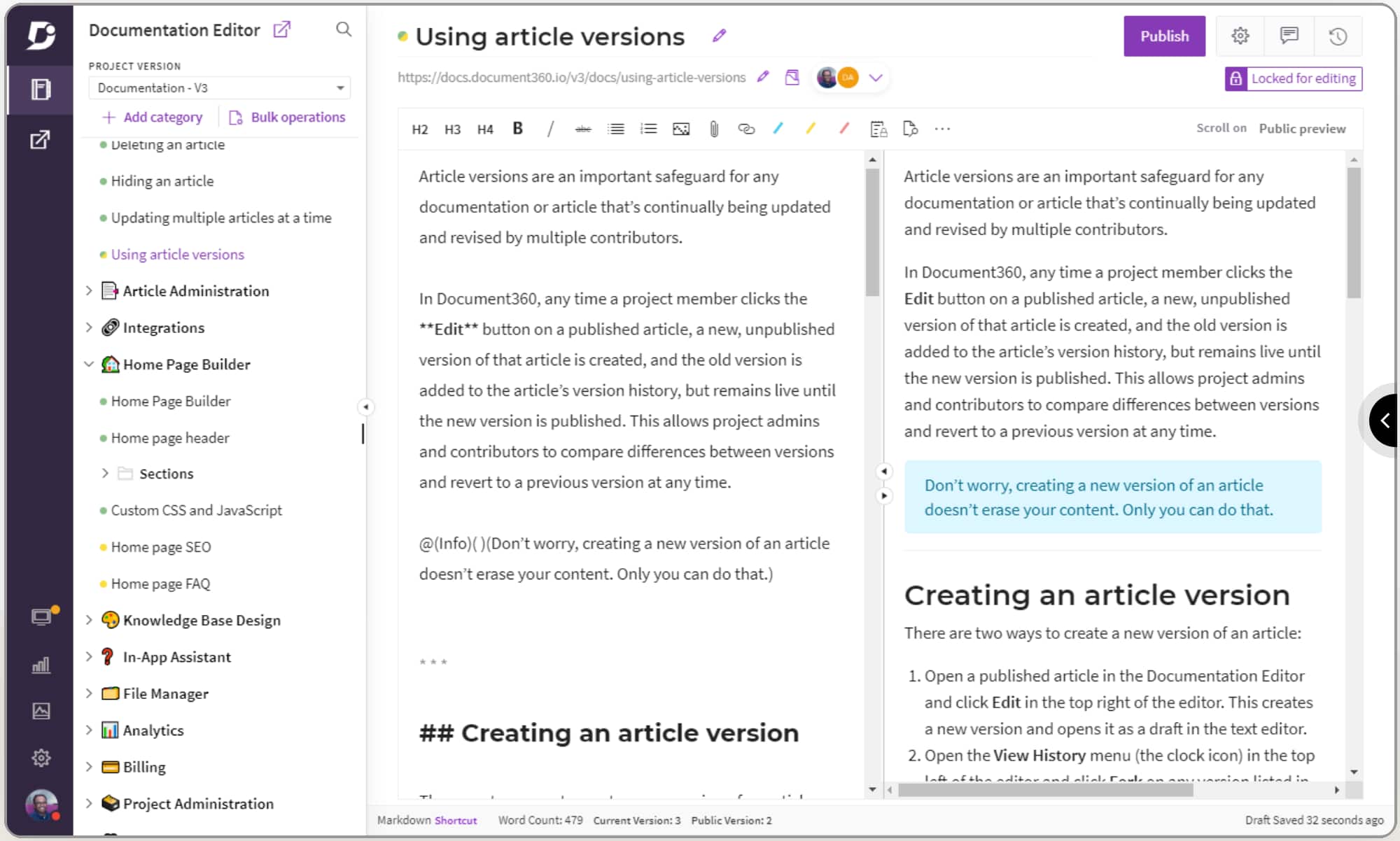
Why it stands out: It offers AI writing assistance, content generation, chatbot search, translation, SEO tools, analytics, and feedback management.
Best for: Teams publishing external help centers.
Key strengths: Customer analytics, multi-language support, content optimization, and workflow approvals.
Possible limitations: It may be more than a small internal team needs, and real-time internal collaboration is not its main focus.
8. BookStack
BookStack is an open-source, self-hosted wiki with a fixed hierarchy: shelves, books, chapters, and pages.
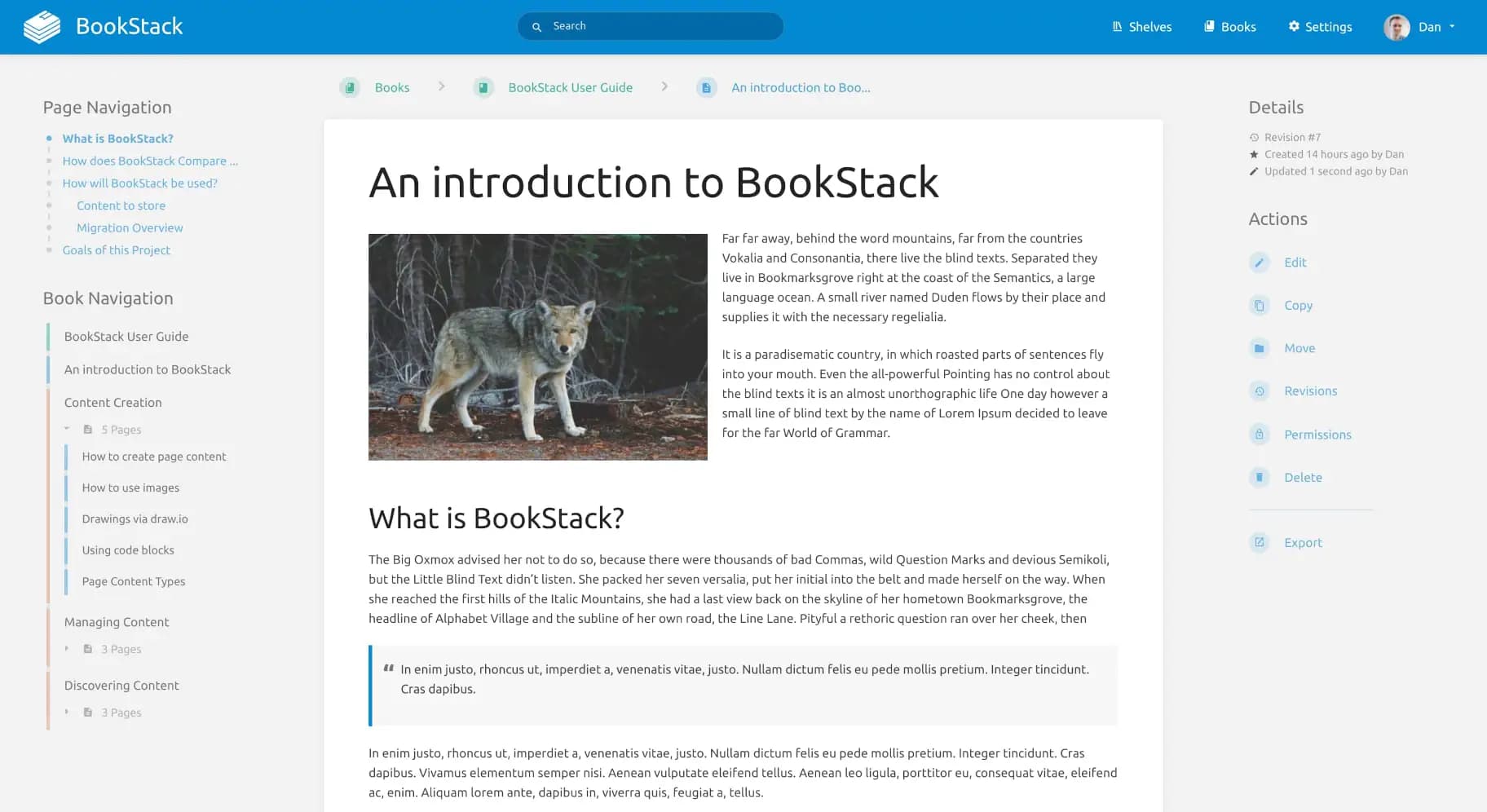
Why it stands out: It gives teams control over hosting, data, and structure.
Best for: Teams that want simple self-hosted documentation.
Key strengths: Open source, clear organization, role permissions, page revisions, and full-text search.
Possible limitations: No built-in AI bot, no full real time collaboration, fewer integrations, and a more traditional interface.
Quick Comparison of the Best Slab Alternatives with Free Plan Options
| Tool | Main strength | Best fit |
|---|---|---|
| BridgeApp | AI agents plus unified workspace | Teams replacing several tools, cost saving, on-prem |
| Notion | Flexible blocks and databases | Custom dashboards |
| Confluence | Atlassian ecosystem | Technical enterprises |
| Slite | Simplicity and AI answers | Remote handbooks |
| Guru | Contextual delivery | Sales and support |
| Nuclino | Speed | Lightweight wiki use |
| Document360 | External documentation | Help centers |
| BookStack | Self-hosting | Data-control teams |
For teams heavily reliant on Slack, Tettra is specifically designed to work within that workflow. Docmost is an open-source alternative that allows teams to retain control over hosting architecture and security infrastructure.
How to Choose the Right Slab Alternative
Choose Based on Team Size and Structure
Small teams usually need speed, simplicity, and a free plan. Larger organizations need permissions, analytics, auditability, and support. If your organization has many departments, choose a platform that can organize content without creating a box of disconnected pages.
Choose Based on Technical Requirements and Unified Search
Cloud tools are easier to start. Self-hosted tools give more control. If your company has security or data sovereignty requirements, focus on BridgeApp, BookStack, Docmost, or enterprise deployments, and check whether users can sign in through SSO or centralized identity systems when access requirements are strict.
The effectiveness of a knowledge management tool can be influenced by its integration capabilities with other software, because integration quality affects access to information across other tools.
Choose Based on Knowledge Management Style and Enterprise Search
Knowledge management tools can vary significantly in their approach, with some focusing on structured content organization while others prioritize flexibility and user customization.
Many knowledge management tools now incorporate AI features to enhance search capabilities, allowing users to ask questions in natural language and receive direct answers from the knowledge base. AI-powered search and assistants in knowledge management tools allow users to ask questions across their knowledge hub, generate summaries, and translate pages.
AI features in knowledge management tools can include natural language processing capabilities, enabling users to type questions and receive direct answers rather than a list of search results. Some knowledge management platforms utilize AI to automate the creation of documentation by transforming frequently asked questions into searchable content, enhancing the overall knowledge base.
Which Option Is Best for You?
- Choose BridgeApp if you want a unified workspace with custom AI automation and flexible deployment.
- Choose Notion if your main idea is to create highly customized dashboards and you do not mind cloud-only access.
- Choose Confluence if your team already lives in Atlassian and needs an enterprise structure.
- Choose Slite if you want a clean interface, remote-friendly documentation, and fast AI answers.
- Choose Guru if your focus is on verified knowledge inside daily applications.
- Choose Nuclino if speed and simplicity matter most.
- Choose Document360 if customer documentation is the priority.
- Choose BookStack if self-hosting and strict structure matter more than modern AI features.
Final Thoughts
The best slab.com alternatives depend on your team’s moment of growth, existing tools, security requirements, and documentation habits. Before paying for a long period, test two or three platforms with real content, real users, and real workflows.
A tool can help you organize knowledge, but adoption comes from consistent ownership, useful content, and a workflow your team can actually follow.